Mike
Administrator
-
Joined
-
Last visited
Everything posted by Mike
-
Nothing has been lost. Are you guys taking a look at the reports and making sure they are showing all the data? Ie: Take a look at the view options, sometimes it will only show you the latest 30 days worth.... Sometimes it's a year... etc. Let me know.
-
Hi all, Anyone interested in the Roadster site... it's back online. I even registered a domain name... check it out: http://www.classicfairlady.com -- Mike
-
-
-
-
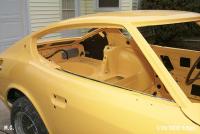
Hi all, notice that we now have the ability to attach multiple files and the images even create thumbnails instead of text links.

-
At the current time, I am having fun trying to get my domain name pointer to work. It really sucks because I had registered that domain name using the 240z.org format. So, I'm in a catch 22... I can't move the DNS pointer because I can't get the email to confirm the switch. And, I can't receive the email because the domain pointer is wrong. Anyway, I need to do a little more work with the domain name 240z.org. We still have it, I just need to finish getting it moved over. -- Mike
-
Carl, the CAPS "ZCAR" didn't work for me... I had to use "zcar" in lowercase to get in.
-
Keith!! Where ya been man! That new job... a new woman... and it's like you don't love us anymore. Yea, I'd like to know if she's ok down there. Let us know what you find out! Hope things are fine! -- Mike
-
Yea, that's not like her at all. I have seen too many happy customers to think otherwise. Does anyone have information about her or live near that area? Hope things are ok.
-
We also have videos here. But, they are in the gallery which is going to be back soon.
-
Don't worry guys, I'm workin on all of it... :rambo:
-
Don't worry, the girls will be back...
-
Don't worry, I'm going to design a better theme than this one. I don't like the grapics with this system right now. But, it's simple.
-
And, watch out for Surburbans?!
-
Yea, sweet site... good job on the graphics.
-
They are just too busy because of all the business we are sending. This is one problem with business that can be handled with a good look at the ordering system. Have you ever seen that IBM commercial where a team of people launch an online sales catalog? They all celebrate when the site is launched and a few orders come in..... while the celbration continues... a few more orders come in.... a few more.... a lot more... and thousands start to pour in.... After celebrating, the team stares at the screen in awe and suddenly realize they didn't plan for all the orders created by the launch... At the end of the commercial it says, "This is when you realize you so need IBM." I'm not promoting IBM, but, I'm just trying to say this kind of problem is NORMAL for any business. Especially small businesses.... Give Chloe a chance, but, stay on it. If you aren't getting a response, please let her know with a phone call or something. I've actually been in this situation with the Zcar CD. At times we had a lot of orders coming in and I wasn't able to keep up until I created a good system to keep track of the orders. Anyway, just a few points of opinion. -- Mike
-
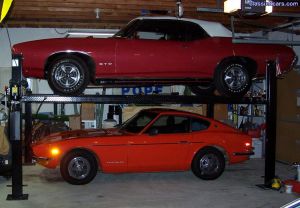 Nice lift. What kind is that? How high are your ceilings ? I'm looking to possibly get a lift, too. But, I didn't know if I could with my 8' ceilings.
 -
 This makes an excellent background image! Awesome picture!!
 -
Keep our most important rule in mind guys... POSTS MUST BE Z RELATED -- Mike
-
HAHAHAH.... HAHAHAHAH .... HEHEHEH.... Sorry, I just had a moment. HEHEHEHEHE..... HAHAHA I just can't stop chuckling. -- Mike
-
If you made an attempt to work with him and he didn't respond, I would give him negative feedback. Give him a warning that you are going to do this and perhaps he will make it better. -- Mike
-
Oops... sorry Carl. I edited your message instead of replying to it! Your quote was kept. Sorry about that. I messed up.
-
Guys, he's just messing with you. DOH!
-
 That is a beauty! What is this car made from?